
 UVIXPDF
Edit it, sign it, send it. Together.
ZUVIX PDF is the PDF editor your whole team can share. Edit text, fill and sign forms, send documents out for e-signature, and keep every file in your own OneDrive or SharePoint.
ZUVIX LLC is a verified Microsoft publisher
What's inside
Everything your team does with PDFs, in one shared place.
Contracts, forms, scans and agreements, edited and signed by the people who need them, without passing files back and forth by email.
Edit the text that's there
Click any line to change it in a matching font, or add new text anywhere. No more retyping a whole document to fix one date.
Fill and sign
Fill form fields right on the page, then draw or type your signature and initials. Your saved signature is ready for the next one.
Send for e-signature
Drag Sign here and Date boxes onto the page, add who signs, and send. Signers sign on any device with no account, and everyone gets the signed copy.
Read scanned pages
Scans and photos are turned into real text, so you can search, copy and edit them like any other PDF.
Merge and organize
Combine PDFs and images, drag pages into order, rotate, delete, add blank pages or pull out just the pages you need.
Mark up and redact
Highlight, draw, add boxes and sticky notes, white out mistakes, and redact private details so they're really gone, not just covered.
Work as a team
Comment on the exact spot, @mention a teammate, ask for a review, and edit the same file together, live.
Your files, your Microsoft 365
Keep every saved PDF in your own OneDrive or SharePoint, next to the rest of your company's files.
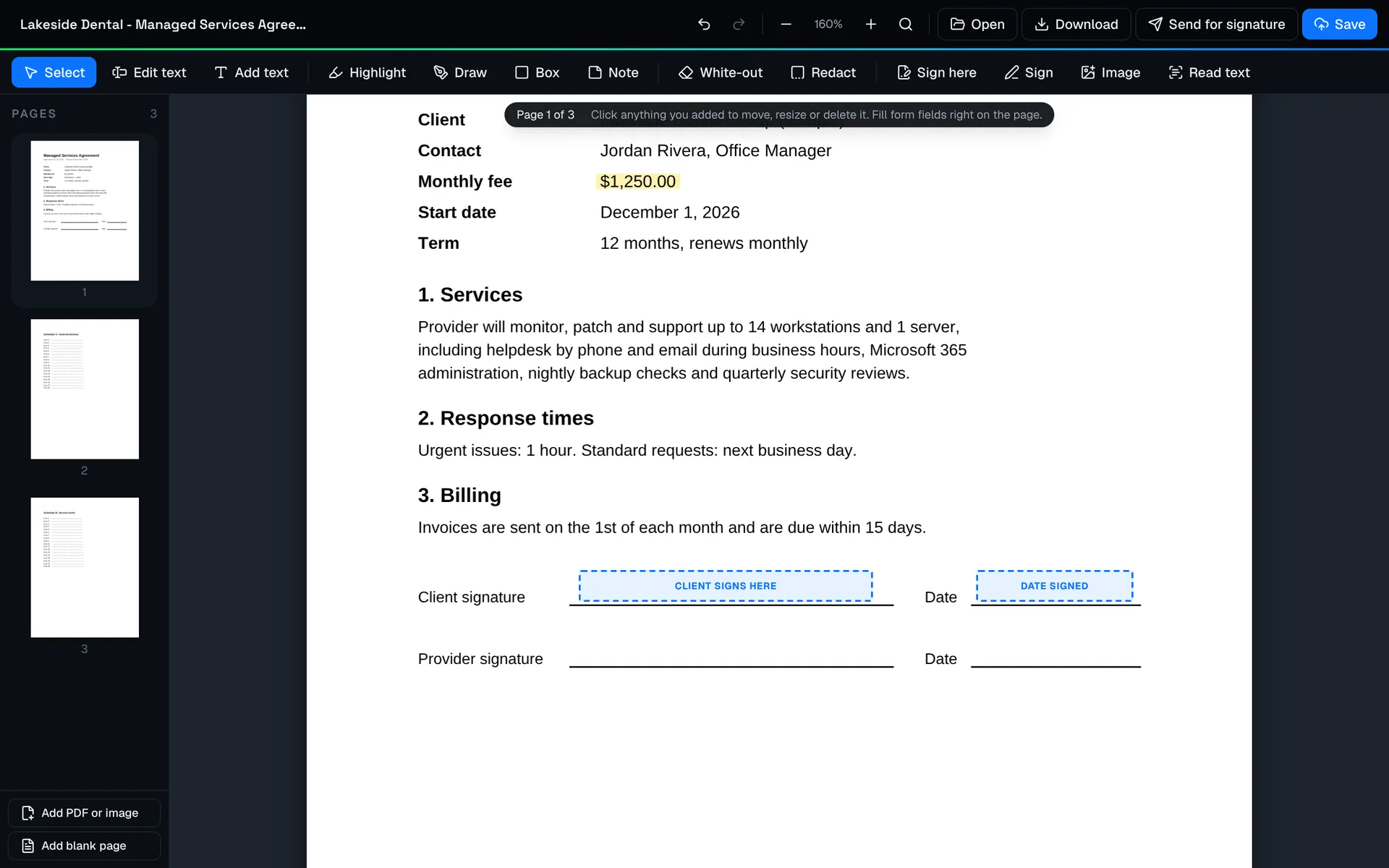
Edit anything
Fix the PDF instead of starting over.
Open a contract, form or scan right in the browser and change what you need: the text, the pages, the order. Nothing to install, and it works the same on a PC, a Mac or a tablet.
- Edit existing text and add your own
- Merge, reorder, rotate and split pages
- Opens edit-locked PDFs so you can finish the job
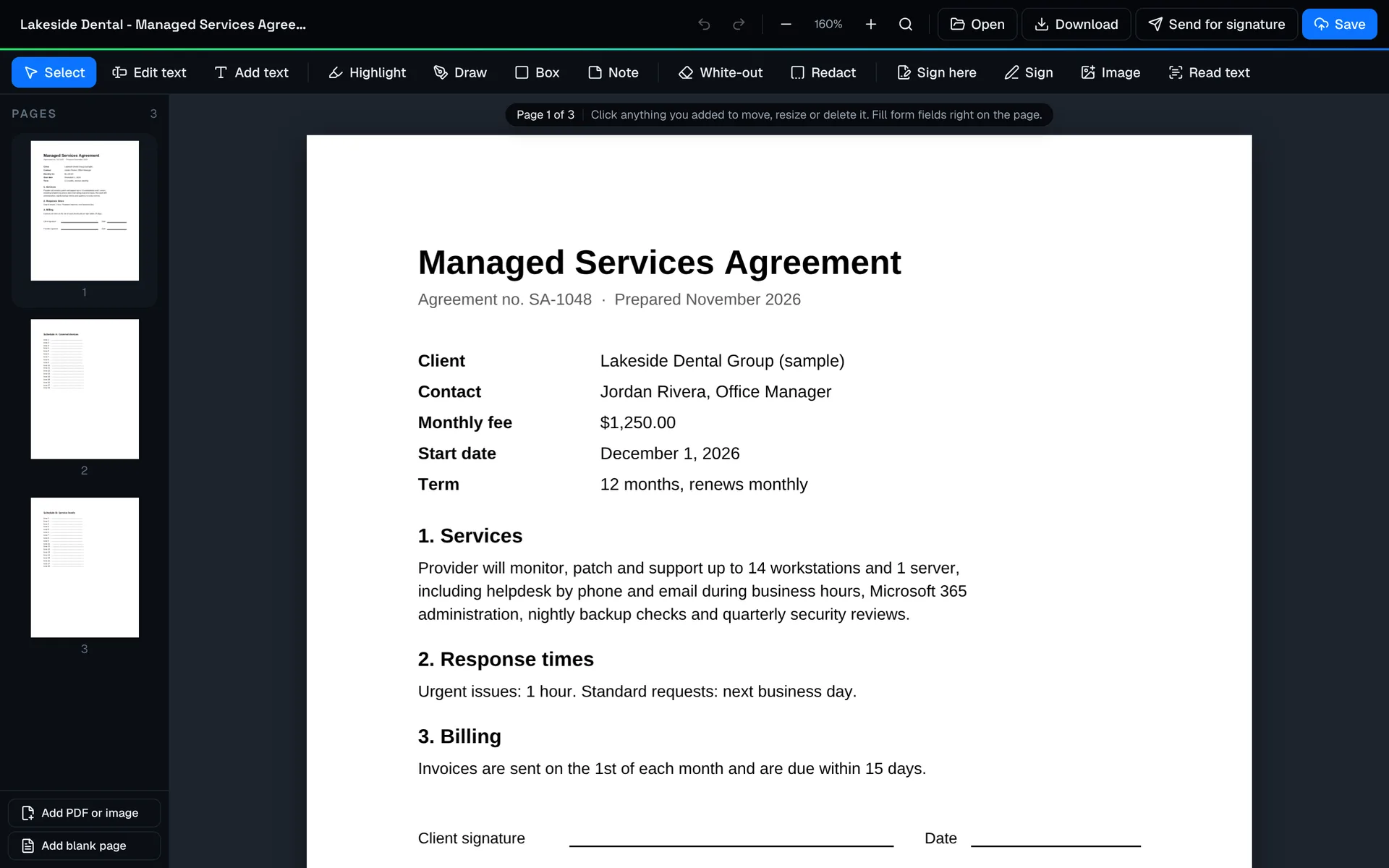
Get it signed
Mark where they sign. Send it. Done.
Drag Sign here and Date boxes onto the page, add the people who sign, and press Send. Each signer gets a private link, confirms their email with a code, and signs from a phone or a computer. No account, no app, no extra e-signature subscription.
- Up to 10 signers, one after another or all at once
- Email code check, reminders and a full audit trail
- Signed copy with a certificate, saved to your files and emailed to everyone
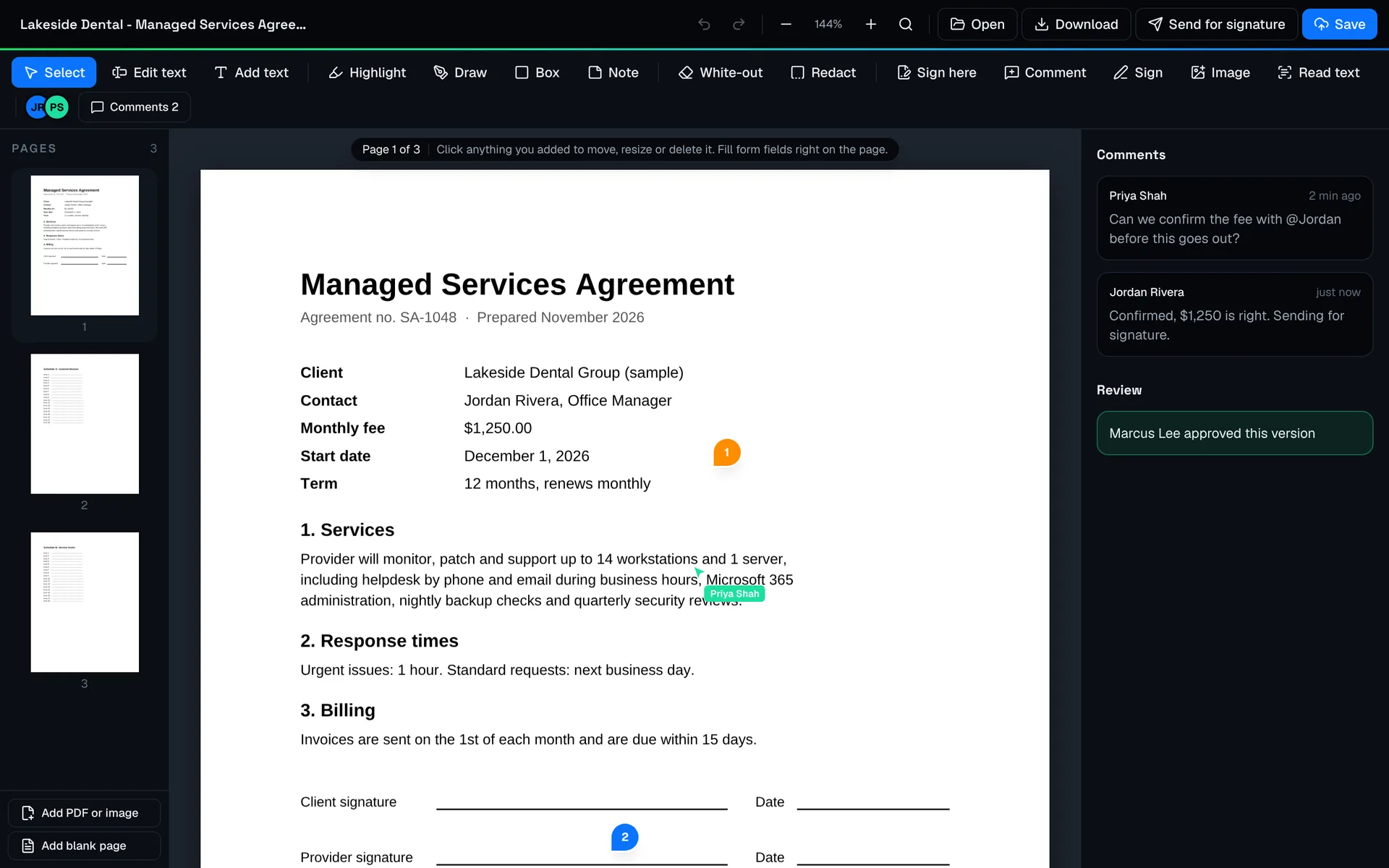
Better together
Comments, reviews and live editing.
Pin a comment to the line you're asking about, @mention a teammate, and ask for a review before anything goes out. When two people open the same file, they see each other's changes as they happen.
- Comments pinned to the page, with @mentions
- Review requests and approvals
- Live co-editing and version history
Team workspaces
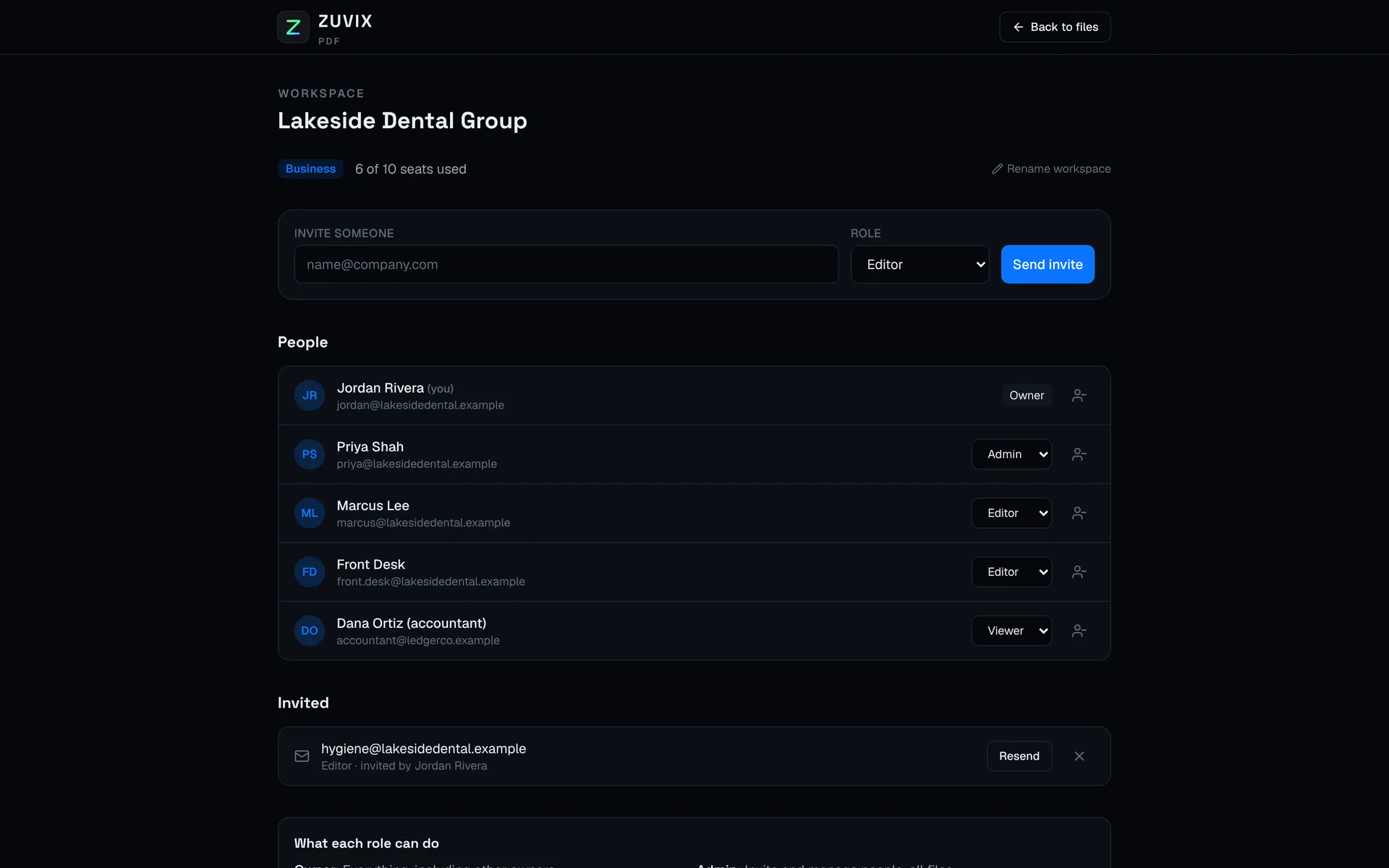
One workspace for your company. A role for everyone in it.
Invite your team by email and give each person the access they need. Your files, folders and people stay in your own workspace, separate from everyone else's.
Owner
Everything, including billing, storage and other owners.
Admin
Invites and manages people, sees every file, picks where files are kept.
Editor
Opens, edits, saves and comments on the files they can reach.
Viewer
Opens and comments, with no changes. Good for an accountant or an outside reviewer.
Microsoft 365 storage
Your PDFs stay in your OneDrive or SharePoint.
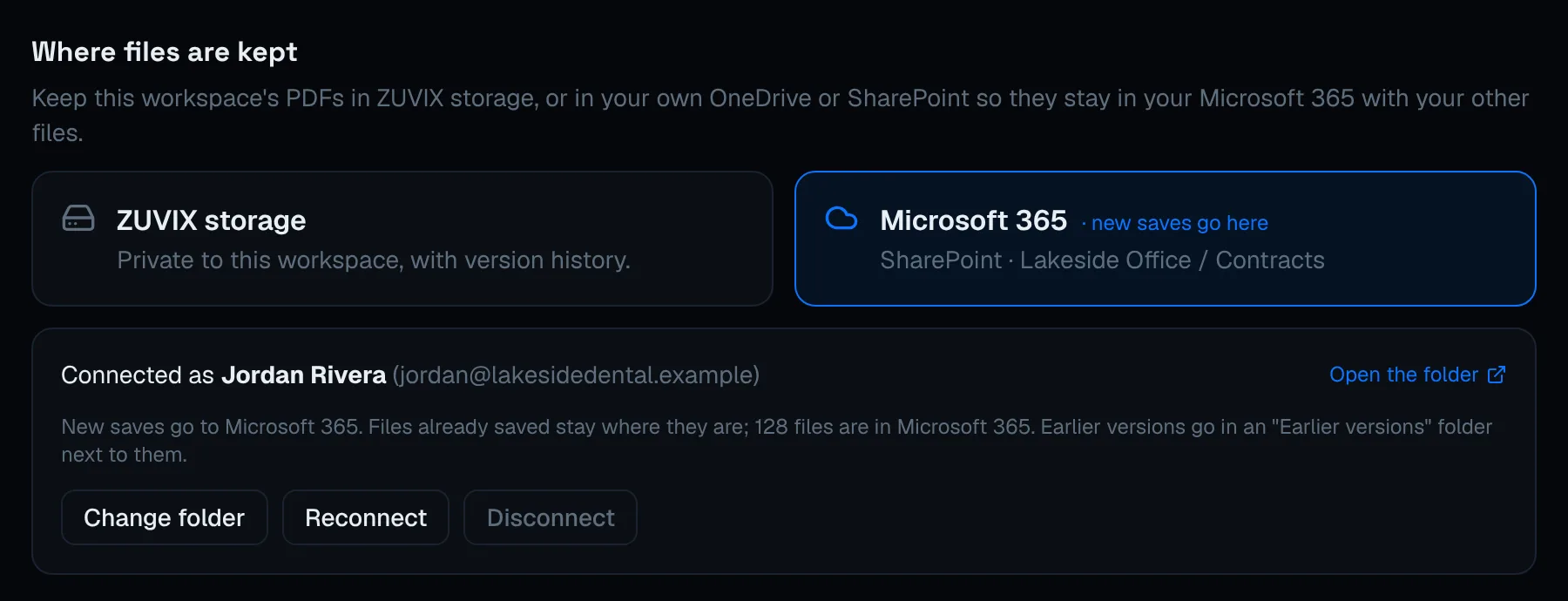
Connect Microsoft 365 once and pick a folder. Every save from your team lands there, with earlier versions kept beside it, so your files live with the rest of your company's documents and follow your own retention and backup.
Verified publisher: ZUVIX LLC
ZUVIX is a Microsoft AI Cloud Partner Program member, and ZUVIX PDF is published under our verified name. Your Microsoft 365 admin sees exactly who is asking to connect before approving it.
Verified Microsoft publisher
When your admin connects Microsoft 365, Microsoft shows ZUVIX LLC as a verified publisher, so you know exactly who is asking for access.
Only the folder you pick
ZUVIX PDF saves into the one OneDrive or SharePoint folder your admin chooses. Change it or disconnect any time.
Roles and private folders
Owners, admins, editors and viewers each see only what they should, and folders can be shared with just the right people.
Every version kept
Each save keeps the earlier version and logs who changed what, so nothing is lost and every change has a name on it.
Microsoft, Microsoft 365, OneDrive and SharePoint are trademarks of the Microsoft group of companies.
Plans
Two plans, sized to your team.
Month to month, no long contracts, and we set up your workspace with you. Tell us how many people need it and we will send you a quote.
Team
For teams of three or more
- Edit, fill, sign, merge and redact
- Send for e-signature, included
- Read text on scans
- Team workspace with roles
- Folders and sharing
- Comments, reviews and live co-editing
- Version history in private ZUVIX storage
Business
Microsoft 365For Microsoft 365 companies
- Everything in Team
- Files kept in your own OneDrive or SharePoint
- We connect your Microsoft 365 for you
- Priority support from our Charlotte team
Included with ZUVIX managed IT
Managed IT clients get ZUVIX PDF Business for their team at no extra cost, set up and connected to their Microsoft 365 by us.
Better with ZUVIX CRM
Using ZUVIX CRM too? Send it from there.
Agreements you edit in ZUVIX PDF can also go out through the CRM, with its two-person sign-off, and the signed copy lands back on the client's account with a certificate. Saved PDFs can be filed under any client, and opened from the CRM with one click.
Questions
The short answers.
What is ZUVIX PDF?
A PDF editor that runs in your browser. Edit text, fill forms, sign, merge and organize pages, read scanned documents, and work on the same files with your team.
Where are our files kept?
In private ZUVIX storage with version history, or, if you prefer, in your own OneDrive or SharePoint folder so they stay in your Microsoft 365 with the rest of your files.
Is the e-signature legally valid?
ZUVIX PDF e-signatures are built for the U.S. ESIGN Act and UETA. Each signer agrees to sign electronically and confirms their email with a one-time code, and the signed copy ends with a certificate of completion showing who signed, when, from what IP address, and a fingerprint of the original document.
Do the people signing need an account?
No. They open the link in their email, confirm a short code, and sign on any phone or computer. They get the signed copy by email when everyone is done.
Does it work with ZUVIX CRM?
Yes. If your company also uses ZUVIX CRM, you can send a PDF for signature through the CRM instead, so it gets the CRM's two-person sign-off and lands on the client's account. Saved PDFs can be filed under a client's account, too.
Who can see what?
Each company gets its own workspace. Owners and admins invite people as editors or viewers and decide which folders they can reach. Nobody outside your workspace can open your files.
Do we need to install anything?
No. It runs in Chrome, Edge and Safari on Windows, Mac and tablets. Your team signs in with an email link or their Microsoft account.
See ZUVIX PDF with your own documents.
Book a 20-minute demo and bring a PDF your team works on every week. Call (980) 403-2897 or send a note.